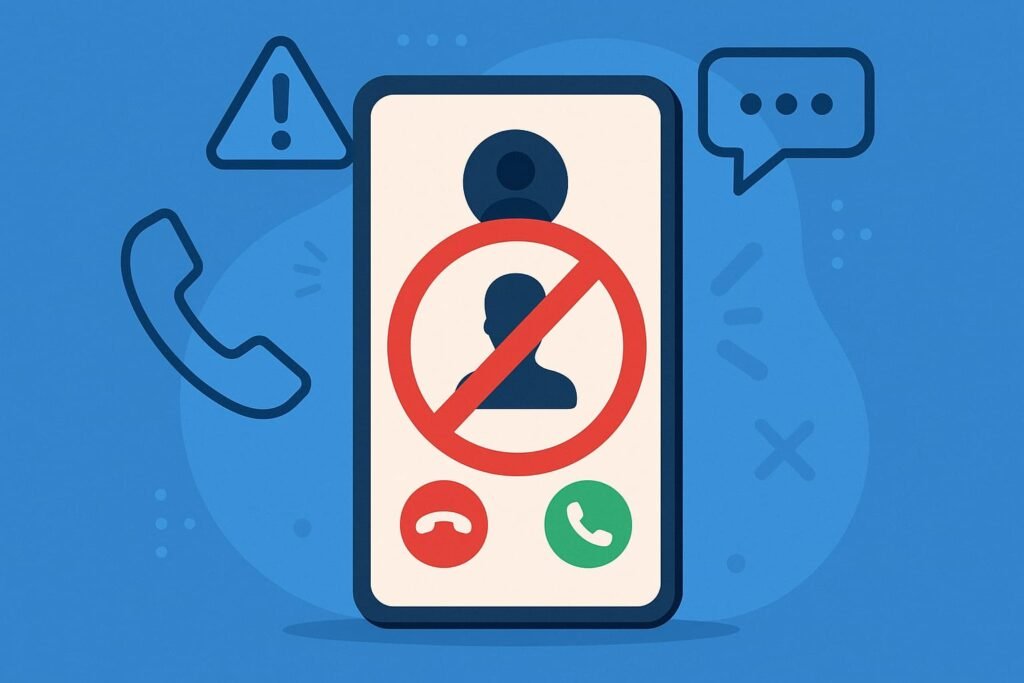
Unwanted calls disrupt daily life. They range from annoying telemarketers to dangerous scammers targeting Kenyans. This guide provides clear steps to block these numbers. You can use built-in phone features, mobile carrier tools, third-party apps, or report issues to authorities. Whether you use a smartphone or feature phone, these methods work.
| Method | Effectiveness | Ease of Use | Cost | Best For |
|---|---|---|---|---|
| Phone Settings | High | Very Easy | Free | Smartphone users |
| Carrier Services | Moderate | Easy | May Cost | Users with carrier support |
| Call Blocking Apps | Very High | Easy | Mostly Free | Advanced protection seekers |
| Reporting to CAK | Long-Term Impact | Moderate | Free | Persistent harassment or scams |
| Feature Phone Workaround | Moderate | Moderate | May Cost | Non-smartphone users |
Source: Adapted from general telecom practices in Kenya. For more details, visit Communications Authority of Kenya.
Why Blocking Unwanted Calls Is Essential
Unwanted calls carry risks. Scammers often pose as legitimate businesses to steal money or personal details. M-PESA fraud, fake prize SMS, and relentless telemarketing are common in Kenya. Blocking numbers prevents these threats. It also reduces stress and restores control over your phone.
Method 1: Use Built-in Phone Features
Smartphones make blocking numbers simple. Both Android and iOS devices have built-in tools. These methods are free and quick.
For Android Users
Android phones offer two ways to block numbers.
From Call Log
- Open the Phone app.
- Go to Recents.
- Tap the unwanted number.
- Select Details or the info icon.
- Choose Block number.
From Settings
- Open Phone Settings.
- Find Blocked Numbers.
- Add the number manually.
Brands like Samsung or Xiaomi may vary slightly. Check your phone’s manual for exact steps.
For iPhone Users
- Open the Phone app.
- Go to Recents.
- Tap the info icon next to the number.
- Select Block this Caller.
To manage blocked contacts:
- Go to Settings.
- Tap Phone.
- Select Blocked Contacts.
These methods work instantly and require no extra apps.
Method 2: Use Mobile Carrier Tools
Kenya’s major telecoms—Safaricom, Airtel, and Telkom—offer call management tools. Some services may cost extra, so check with your provider.
Safaricom
Safaricom lacks a universal USSD code for blocking calls. However, the MySafaricom App helps.
- Download the app from Google Play or App Store.
- Use it to manage contact preferences.
- Report spam numbers to 333 for fraud cases.
Airtel Kenya
Airtel provides a Call Manager Service.
- Dial *100#.
- Navigate to Call Services.
- Select Blacklist (if available).
- Alternatively, use the Airtel Thanks App for more options.
Telkom Kenya
Telkom users can rely on the My Telkom App.
- Download the app.
- Enable Do Not Disturb (DND) settings.
- Contact customer service at 100 for manual blacklisting.
Carrier tools vary in effectiveness. They may not catch all spam but work well for known numbers.
Method 3: Install Call Blocking Apps
Third-party apps provide advanced protection. They identify and block spam automatically. Many are free and available on Google Play or App Store.
Top Call Blocking Apps in Kenya
- Truecaller: Blocks spam and scams. Identifies unknown callers. Warns about M-PESA fraud.
- Hiya: Filters robocalls. Offers caller ID.
- Calls Blacklist: Creates custom blacklists. Blocks SMS too. Lightweight design.
- Should I Answer?: Uses a community-rated database. Works offline after setup.
Before installing, check app permissions. Stick to trusted apps from official stores to protect your data.
Method 4: Report Harassment or Scams
Persistent or threatening calls require stronger action. Report them to authorities or your carrier.
Report to the Communications Authority of Kenya (CAK)
The CAK handles telecom complaints.
- Visit www.ca.go.ke.
- Use the contact form or email info@ca.go.ke.
- Provide the number, call details, and complaint nature.
Report to Your Carrier
- Safaricom: Report fraud to 333 or via the MySafaricom App.
- Airtel: Call 100 or email customerservice@ke.airtel.com.
- Telkom: Dial 100 or use the My Telkom App.
Reporting helps authorities track scammers. It may not block calls instantly but aids long-term solutions.
Method 5: Feature Phone Workarounds
Feature phones lack advanced settings, but options exist.
- Check Call Settings: Some models allow rejecting specific numbers.
- Contact Your Carrier: Request blacklisting (fees may apply).
- Use Do Not Disturb: Silence unknown callers.
These methods are less flexible but still effective for basic phones.
Comparing the Methods
Each method suits different needs.
- Phone Settings: Best for quick, free blocking on smartphones.
- Carrier Services: Good for users comfortable with USSD or apps.
- Apps: Ideal for automatic spam detection.
- Reporting: Best for serious cases like fraud or harassment.
- Feature Phones: Workable but limited without carrier support.
For most users, combining phone settings and an app like Truecaller offers the best defense.
User Experiences
Kenyans share positive feedback on these methods.
- “Truecaller stopped 90% of my spam calls. It’s a lifesaver!” — John, Mombasa.
- “Blocking numbers on my iPhone was so easy. No more stress.” — Mary, Eldoret.
However, spammers often switch numbers. You may need to block new ones over time. Apps like Truecaller help by updating spam lists regularly.
FAQs on Blocking Unwanted Numbers in Kenya
Can I block SMS and calls?
Yes. Apps like Truecaller and Calls Blacklist block both.
What if the caller uses a new number?
Block each new number or restrict unknown callers via phone settings.
Does the caller know they’re blocked?
No. Blocked calls are rejected silently.
Are call blocking apps safe?
Yes, if from Google Play or App Store. Check reviews and permissions first.
Can I block all unknown numbers?
Yes. Android and iOS have options to silence unknown callers.
Final Thoughts
Blocking unwanted numbers in Kenya is simple and effective. Use phone settings for quick fixes. Apps like Truecaller add extra protection. Carriers and the CAK offer support for persistent issues. Feature phone users can rely on carrier services or manual settings. Take control of your phone today to stay safe and stress-free.