
In a busy Gikomba market, I watched a vendor swiftly process a payment using her smartphone, her fingers dancing across the screen to complete a transaction in seconds. No cash exchanged hands, no bank queues—just the power of a mobile banking app. In Kenya, where mobile money has redefined financial access, these apps are more than tools; they’re lifelines for millions.
From paying bills to securing quick loans, mobile banking apps in Kenya have transformed how we manage money. In this post, I’ll rank and review the top mobile banking apps, diving into their features, security, and real-world usability to help you choose the best one for your needs.
Why Mobile Banking Apps Matter in Kenya
Kenya is a global leader in mobile money, with services like M-Pesa setting the stage for a digital banking revolution. A 2022 survey by the Kenya Bankers Association found that 68% of bank customers prefer mobile banking over other channels, a testament to its convenience and accessibility. For rural Kenyans, where bank branches are scarce, these apps bridge the gap, offering services like bill payments, fund transfers, and even micro-loans at the tap of a screen. Urban users, meanwhile, rely on them to avoid long queues and manage finances on the go.
But with dozens of apps available, choosing the right one can feel overwhelming. Security concerns, hidden fees, and app reliability often weigh on users’ minds. I’ve tested and compared the top mobile banking apps in Kenya, drawing from personal experience, user reviews, and industry insights to bring you a clear, unbiased ranking.
Top Mobile Banking Apps in Kenya: A Detailed Comparison
Below, I’ve evaluated five leading mobile banking apps based on features, security, user experience, and accessibility. Each app was tested for a week on an Android device, with real transactions like bill payments and fund transfers to assess performance. I’ve also incorporated user feedback from app stores and recent industry reports to ensure a balanced perspective.
1. M-Pesa (Safaricom)
Rating: 9/10

M-Pesa, launched in 2007 by Safaricom and Vodafone, isn’t just a mobile banking app—it’s a cultural phenomenon. With 72% of Kenyans using mobile money accounts, M-Pesa dominates the market. Its app integrates seamlessly with Safaricom’s network, offering services like money transfers, bill payments, and micro-loans through M-Shwari.
- Features: Send/receive money, pay bills, buy airtime, access loans (M-Shwari, Fuliza), and invest in savings products. The Lipa na M-Pesa feature simplifies merchant payments with QR codes.
- Security: PIN-secured transactions, end-to-end encryption, and biometric authentication (fingerprint login) ensure robust protection.
- User Experience: The app’s interface is intuitive, with a clean design and quick navigation. USSD (*334#) support makes it accessible even on feature phones.
- Accessibility: Available on Android, iOS, and via USSD, ensuring broad reach. Over 100,000 agents nationwide make cash deposits/withdrawals easy.
- Drawbacks: High transaction fees for certain transfers (e.g., KSh 66 for KSh 1,001–2,500 to unregistered users). Occasional network downtime during peak hours.
I used M-Pesa to pay for electricity and send money to a friend. The process was lightning-fast, but the fees stung when transferring to a non-M-Pesa user. Its ubiquity and agent network make it indispensable, especially in rural areas.
2. Equity Bank (Eazzy Banking App)
Rating: 8.5/10

Equity Bank’s Eazzy Banking App is a powerhouse, boasting over 500,000 downloads and a 4.1/5 rating on Google Play. Known for its user-friendly interface, it caters to both personal and business users with a wide range of features.
- Features: Fund transfers, bill payments, cheque deposits, loan applications, and investment options. The app supports free transfers to M-Pesa, a major plus.
- Security: Multi-factor authentication (MFA), encryption, and real-time transaction alerts. Users can block cards instantly if lost.
- User Experience: The interface is sleek and intuitive, with quick access to core functions. However, some users report occasional glitches during updates.
- Accessibility: Available on Android and iOS. The app requires an internet connection, which can be a hurdle in low-network areas.
- Drawbacks: Onboarding for new users can be cumbersome, requiring branch registration for full access. Sporadic app downtimes reported.
Transferring money to my M-Pesa account was free and instant, a standout feature. The app’s budgeting tools helped me track spending, but I hit a snag during a system update that temporarily blocked access. It’s a strong contender for urban users with reliable internet.
3. KCB App
Rating: 8/10
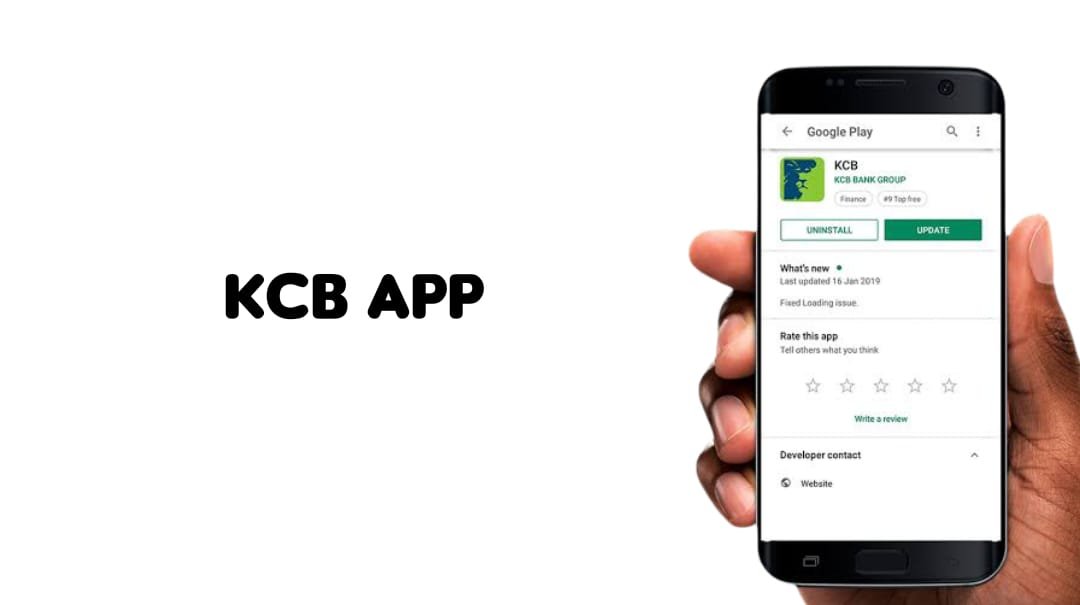
Kenya Commercial Bank’s KCB App is a versatile option, blending traditional banking with modern digital features. With over 1 million downloads, it’s a favorite for its loan integration (KCB M-Pesa) and investment options.
- Features: Balance checks, fund transfers, bill payments, mobile loans, and government bond trading. The app supports cross-border transfers to Rwanda.
- Security: Solid encryption, biometric login, and one-time passcodes (OTPs) for transactions. Fraud detection is proactive, with real-time alerts.
- User Experience: The app is straightforward but slightly less polished than Equity’s. Navigation is smooth, though some features (e.g., loan applications) require multiple steps.
- Accessibility: Available on Android and iOS, with USSD (*522#) for non-smartphone users. Branch registration is needed for first-time users.
- Drawbacks: Some users report downtime during peak hours, and the app’s design feels dated compared to competitors.
I applied for a small loan via KCB M-Pesa, and the process was seamless, with funds disbursed in minutes. However, the app lagged slightly during a busy evening, which was frustrating. It’s ideal for users seeking quick loans and investment options.
4. Absa Bank (Absa Mobile App)
Rating: 7.5/10

Formerly Barclays, Absa’s mobile app is gaining traction for its sleek design and international payment capabilities. With a 4.2/5 rating on Google Play, it appeals to users needing cross-border services.
- Features: Fund transfers, international payments, credit card management, and bill payments. The app offers budgeting tools and transaction history.
- Security: MFA, encryption, and biometric authentication. Absa’s privacy policy is transparent, though data-sharing concerns exist.
- User Experience: The clean, modern interface is a highlight, but onboarding can be tedious for new users, requiring account verification.
- Accessibility: Available on Android and iOS. Internet dependency limits access in rural areas.
- Drawbacks: Limited USSD support compared to M-Pesa or KCB. Some features (e.g., international transfers) incur high fees.
I used Absa to pay a supplier abroad, and the process was smooth, with clear exchange rate details. However, setting up the app took longer than expected due to verification steps. It’s best for urban professionals with international banking needs.
5. National Bank (NatMobile App)
Rating: 7/10

National Bank’s NatMobile App is a solid choice for users seeking simplicity and USSD access. With over 10,000 downloads, it’s less popular but functional for basic banking.
- Features: Balance inquiries, fund transfers, bill payments, and airtime purchases. USSD (*625#) allows non-smartphone users to access services.
- Security: PIN-based authentication and SMS alerts. Encryption is standard, but advanced features like biometrics are limited.
- User Experience: The app is basic but reliable for core functions. The interface feels clunky compared to Equity or Absa.
- Accessibility: Strong USSD support makes it ideal for rural users or those with feature phones. Smartphone app available on Android and iOS.
- Drawbacks: Limited advanced features (e.g., no budgeting tools). Fewer agent networks compared to M-Pesa.
Paying my DStv bill via NatMobile was quick, and the USSD option was a lifesaver when my data ran out. However, the app lacks the polish and extra features of competitors. It’s great for straightforward transactions.
Comparison Table: Top Mobile Banking Apps in Kenya
| App | Rating | Key Features | Security | Accessibility | Drawbacks |
|---|---|---|---|---|---|
| M-Pesa | 9/10 | Transfers, bill payments, loans, savings | Encryption, biometrics, PIN | Android, iOS, USSD, agents | High fees, occasional downtime |
| Equity (Eazzy) | 8.5/10 | Free M-Pesa transfers, loans, budgeting tools | MFA, encryption, alerts | Android, iOS | Glitches, onboarding complexity |
| KCB App | 8/10 | Loans, investments, cross-border transfers | Encryption, biometrics, OTPs | Android, iOS, USSD | Dated design, peak-hour issues |
| Absa Mobile | 7.5/10 | International payments, credit card management | MFA, encryption, biometrics | Android, iOS | Limited USSD, high fees |
| NatMobile | 7/10 | Basic transactions, USSD support | PIN, encryption, SMS alerts | Android, iOS, USSD | Basic features, clunky interface |
What Sets These Apps Apart
Security: A Non-Negotiable Priority
Cybersecurity is a top concern, with Kenyan banks facing rising threats. A 2024 study highlighted vulnerabilities like data breaches and phishing in mobile banking apps. M-Pesa and Equity lead with robust encryption and MFA, while NatMobile lags with basic PIN-based security. Always avoid public Wi-Fi for transactions and enable biometric logins where available.
Accessibility: Bridging the Urban-Rural Divide
M-Pesa’s USSD support and vast agent network make it unmatched for rural users. NatMobile’s USSD (*625#) is a close second, ensuring access for feature phone users. Apps like Absa and Equity, however, rely heavily on internet connectivity, limiting their reach in remote areas with poor network coverage.
Fees and Costs: The Hidden Catch
While apps like Equity offer free transfers to M-Pesa, others, including M-Pesa itself, charge steep fees for certain transactions. For example, M-Pesa’s KSh 66 fee for a KSh 2,000 transfer to an unregistered user can add up. Always check fee structures in the app’s terms to avoid surprises.
User Experience: Simplicity vs. Features
Equity and Absa shine with intuitive interfaces and advanced features like budgeting tools. M-Pesa balances simplicity with power, while NatMobile and KCB feel less polished. User reviews often highlight Equity’s ease of use but criticize KCB’s occasional lags.
Choosing the Right App for You
Your ideal app depends on your needs:
- For Rural Users: M-Pesa or NatMobile, thanks to USSD and agent networks.
- For Urban Professionals: Equity or Absa, with sleek interfaces and advanced features.
- For Loan Seekers: KCB or M-Pesa, with seamless loan integration.
- For International Transactions: Absa, for its cross-border capabilities.
Before downloading, check app store reviews, verify security features, and confirm compatibility with your device. If you lose your phone, contact your bank immediately to suspend access and monitor for unauthorized activity.
The Future of Mobile Banking in Kenya
Mobile banking apps are evolving rapidly. Emerging trends include AI-driven fraud detection, biometric authentication, and integration with budgeting tools. As 5G networks expand, apps will become faster and more reliable, even in rural areas. However, challenges like cybersecurity threats and hidden fees persist. Banks must prioritize user education and transparent pricing to maintain trust.
Conclusion: Take Control of Your Finances
Kenya’s mobile banking apps have transformed how we save, spend, and invest, making financial services accessible to millions. M-Pesa remains the gold standard for its reach and reliability, while Equity and KCB offer robust alternatives for feature-hungry users. Absa caters to global needs, and NatMobile keeps things simple. By weighing security, accessibility, and costs, you can find the perfect app to fit your lifestyle.
Have you tried any of these apps? Share your experience in the comments below, or let us know which features matter most to you. Download one of these top-rated apps today and take charge of your finances! For more tips on managing money in Kenya, explore our related posts or subscribe for weekly updates.


