Withdraw Money from PayPal to M-Pesa Using the M-Pesa App
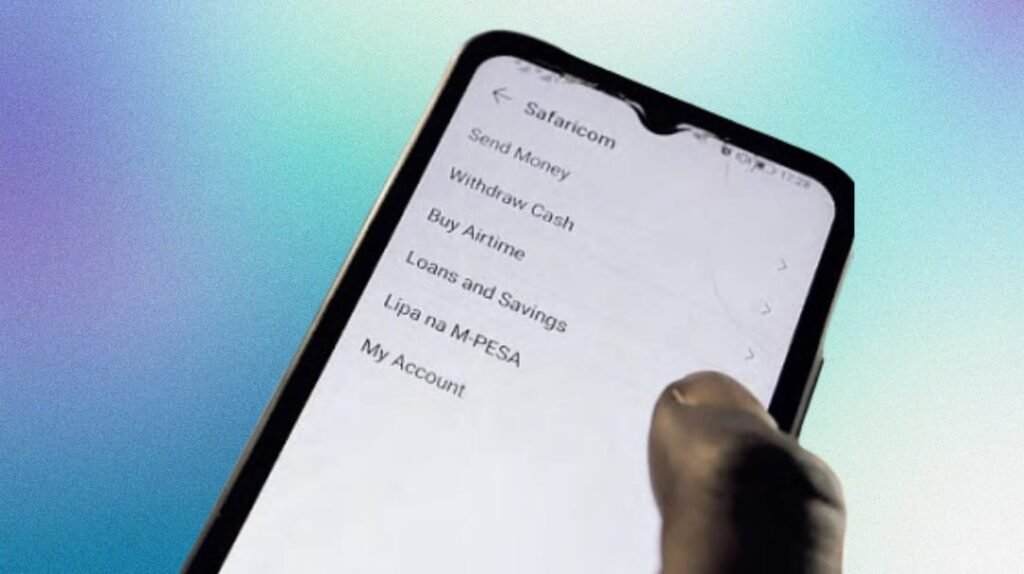
PayPal to M-Pesa withdrawals are now fully integrated within the M-Pesa app. You no longer need a web portal. If you have an active and verified PayPal account and a registered M-Pesa line, transferring funds is simple.
Open your M-Pesa app, tap on “Global Payments”, select “PayPal”, and follow the on-screen instructions. The entire process takes about five minutes, assuming systems are running smoothly.
PayPal to M-Pesa App Withdrawal: Quick Overview
| Step | Action |
|---|---|
| 1 | Open the M-Pesa App |
| 2 | Tap “Global Payments” then select “PayPal” |
| 3 | Enter your M-Pesa PIN |
| 4 | Link your PayPal account (if not already linked) |
| 5 | Log into PayPal and tap “Agree & Connect” |
| 6 | Choose “Withdraw Funds” or “Top Up PayPal” |
More details available at the official Safaricom-PayPal portal.
How to Link Your PayPal Account to M-Pesa App
- Download and open the M-Pesa app
- Go to “Global Payments”
- Select “PayPal”
- Enter your M-Pesa PIN
- Tap “Link Account”
- Log into your PayPal account
- Tap “Agree & Connect”
After successful linking, you will be redirected to the M-Pesa app where you can proceed to withdraw or top up. Make sure your PayPal and M-Pesa account names match to avoid errors.
Are There Any Fees for PayPal to M-Pesa App Withdrawal?
No fixed fees are charged for the transaction. However, PayPal applies an exchange rate with a margin of roughly 3% to cover processing costs.
Here’s what you need to know:
- Minimum withdrawal amount: $1
- Processing time: Less than 30 minutes (usually 5 minutes)
- M-Pesa limits: Standard daily transaction caps apply
Top Up PayPal from M-Pesa App
To top up your PayPal account from M-Pesa, follow the same steps in the M-Pesa app but select “Top Up PayPal” instead of withdrawal. You’ll enter the USD amount, and the KES equivalent will be displayed based on the day’s rate.
Web Option Ending August 16, 2025
Previously, you could transfer funds via paypal-mobilemoney.com. However, this portal, managed by Thunes, will be shut down on August 16, 2025. Going forward, Safaricom will continue supporting PayPal transfers only within the M-Pesa app.
Requirements for a Successful Transfer
- Your PayPal account must be verified using your email
- The name on both PayPal and M-Pesa accounts must match
- You must have a smartphone with the official M-Pesa app installed
Why Use the M-Pesa App for PayPal Withdrawals?
This method is fast and convenient. It eliminates the need for third-party portals. The user interface is intuitive, and you’re notified at every step of the transaction.
Security Features
- Two-factor authentication via PayPal login
- M-Pesa PIN required at each stage
- Instant alerts for successful transfers
Is the Process Safe?
Yes. All data exchanges between the M-Pesa app and PayPal are encrypted. Safaricom’s partnership with PayPal ensures secure transactions. Only log in from trusted devices, and avoid public Wi-Fi during fund transfers.
Common Errors and How to Fix Them
- Error: “Name mismatch” – Ensure your PayPal and M-Pesa names are identical
- Error: “Invalid login” – Check your PayPal email and password
- Delay in funds: Can happen during public holidays or maintenance
Can You Withdraw Without a Verified PayPal Account?
No. PayPal restricts withdrawals to verified accounts only. Verification usually involves confirming your email and linking a valid bank account or card.
What’s the Withdrawal Limit?
While PayPal allows up to $10,000 per transaction, M-Pesa daily limits apply. As of 2025, the daily limit for M-Pesa transactions is KES 500,000, and a single transaction cannot exceed KES 250,000.
When Will I Get My Money?
Funds typically land in your M-Pesa wallet within five minutes. On rare occasions, it might take up to 30 minutes. During high traffic or system upgrades, delays of up to 72 hours are possible.
Other Ways to Withdraw PayPal in Kenya
- Equity Bank: Direct PayPal integration with your bank account
- Payoneer: For freelancers who get paid in USD
- Skrill or Flutterwave: Alternatives with varying fees
Final Thoughts
If you freelance or receive payments online, the PayPal to M-Pesa app feature is a game-changer. It’s quick, secure, and accessible directly from your phone. With the web option retiring soon, now’s the time to start using the M-Pesa app for all your PayPal transactions.
FAQs: PayPal to M-Pesa App Withdrawal
Can I withdraw money from PayPal to M-Pesa without linking accounts?
No. You must link your PayPal to M-Pesa through the app before making any withdrawals.
How long does it take to receive funds in M-Pesa?
Usually less than 30 minutes. Most users report success within five minutes.
Is there a charge for withdrawing PayPal funds?
No fixed fees, but the exchange rate includes a 3% margin.
What happens after the PayPal–Thunes portal shuts down?
All withdrawals must be done through the official M-Pesa app from August 17, 2025 onward.
Can I withdraw from PayPal to M-Pesa on weekends?
Yes, the app is available 24/7, but delays can happen during system maintenance.