Need your GHRIS payslips for loans, audits, or personal records? This guide walks you through the 2025 process to access, download, and print your payslips from Kenya’s Government Human Resource Information System (GHRIS) in minutes. Whether you’re a civil servant, healthcare worker, or part of disciplined forces, follow these steps to retrieve your payslips hassle-free.
What Is GHRIS?
The Government Human Resource Information System (GHRIS) is Kenya’s centralized digital platform for managing public sector employees. It streamlines payroll, leave, and HR services for:
- Ministries and state departments
- County governments
- Disciplined forces (police, military)
- State corporations and SAGAs
Why You Need Your GHRIS Payslip
Payslips verify income for loans, mortgages, or rental applications. They also help track deductions like PAYE, NHIF, and NSSF. Since 2023, GHRIS has mandated full digital access, eliminating paper slips for most employees.
| GHRIS Payslip Key Details (2025) | Description |
|---|---|
| Portal URL | www.ghris.go.ke |
| Support Email | ghrishelp@psyg.go.ke |
| Payslip Availability | Current + 5 years of archives |
| Required Details | User ID (employee number), password, updated bio-data |
Step-by-Step: How to Get Your GHRIS Payslips in 2025
Step 1: Access the GHRIS Portal
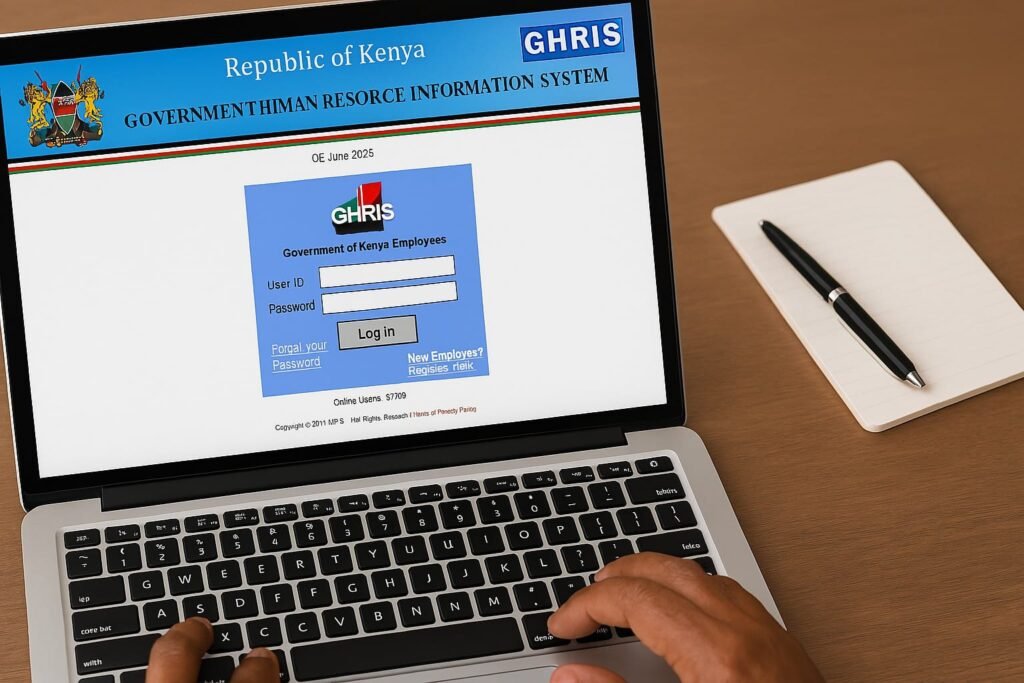
Visit www.ghris.go.ke. Select “Government of Kenya Employee” if registered or “New Employee” to create an account.
Step 2: Log In
Enter your User ID (employee number) and password. Forgot your password? Use the “Reset Password” link.
Step 3: Update Your Profile (If Required)
Ensure all sections under “My Records” are complete, including:
- Basic details
- Employment history
- Next-of-kin information
Note: Incomplete profiles may block payslip access.
Step 4: Navigate to “My Payslip”
From the dashboard, click “My Records” → “My Payslip”. Choose between “Current Payslips” (latest) or “Previous Payslips” (historical).
Step 5: View and Print
Click “View Payslip” to see the PDF. Select “Print Payslip” to download or print. For mobile users, long-press the PDF to save.
Troubleshooting Common Issues
- Login fails? Double-check your User ID format (e.g., 1234567 for civil servants).
- Missing payslips? Contact your HR office to confirm payroll submission.
- System errors? Email ghrishelp@psyg.go.ke with screenshots.
Pro Tips for 2025
- Bookmark the GHRIS portal for quick access.
- Download payslips monthly to avoid last-minute rushes.
- Use Chrome or Firefox for optimal compatibility.
FAQs
Can I access GHRIS payslips via mobile?
Yes! The portal is mobile-friendly, but printing requires a PDF reader app.
How far back do payslips go?
Typically 5 years, but some agencies archive longer.
Is GHRIS secure?
Yes, it uses SSL encryption. Avoid public Wi-Fi when accessing sensitive data.