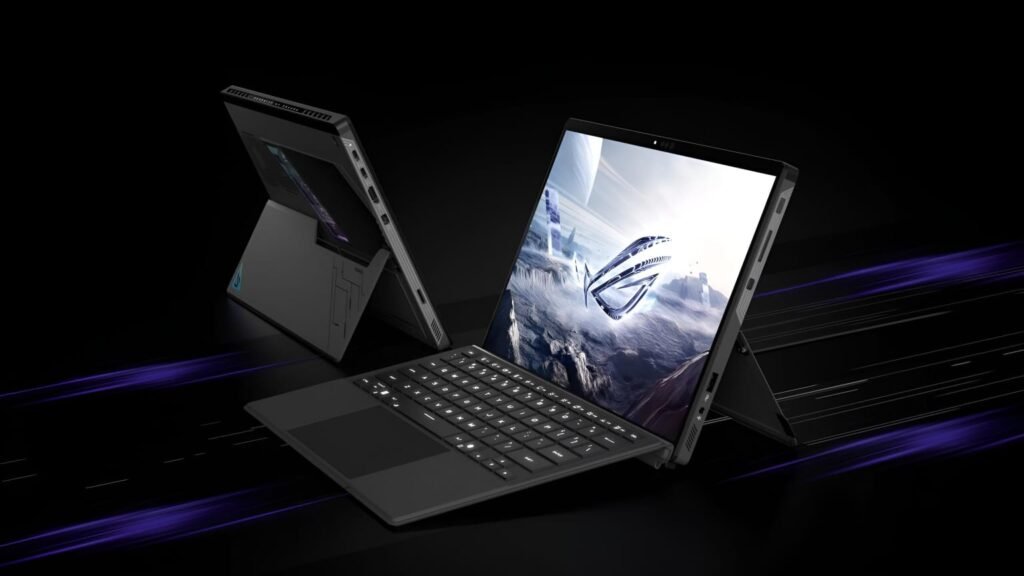
ASUS didn’t update specs for marketing. They re-engineered thermal design, boosted power, and delivered real-world utility that’s hard to match in this form factor. This isn’t just a tablet for casual use. It’s aimed at creators, gamers, and developers; especially those experimenting with AI workloads.
ASUS ROG Flow Z13 2025 – At a Glance
| Specification | Details |
|---|---|
| Model | ASUS ROG Flow Z13 (GZ302EA) 2025 |
| Processor | AMD Ryzen AI Max+ 390 or 395 |
| Graphics | Integrated Radeon 8060S GPU |
| Memory | Up to 128GB LPDDR5X (Unified) |
| Display | 13.4” 2.5K ROG Nebula, 180Hz, 100% DCI-P3 |
| AI Capability | XDNA NPU with up to 50 TOPS |
| Ports | Dual USB4, USB-A, HDMI 2.1, microSD |
| Battery | 70Wh with USB-C Fast Charging |
| Weight | 1.2kg (Tablet Only) |
| eGPU Support | Yes, via XG Mobile (up to RTX 5090) |
| Stylus Support | Yes |
| Price Range | Expected from $1,999+ |
| Reference | Official ASUS Flow Z13 Page |
Performance Without Shortcuts
ASUS drops Intel in favor of AMD this year. The result is a more cohesive platform. The Ryzen AI Max+ chips not only boost raw CPU performance but also improve efficiency. The unified 128GB LPDDR5X memory architecture ensures that both the CPU and GPU get what they need without limits or awkward latency issues.
Gaming on this setup feels surprisingly natural. You won’t max out settings, but medium to high runs smoothly in most AAA titles. The Radeon 8060S is no slouch, and its thermals remain stable under stress.
Built-In AI Brains
The Flow Z13’s standout feature? Its XDNA NPU. Capable of 50 TOPS, it runs powerful local AI models. ASUS calls out support for DeepSeek R1, a distilled reasoning LLM. This matters for developers and creators working in offline environments or anyone avoiding the cloud.
Running AI workloads locally reduces latency and avoids subscription traps. If you’re building, testing, or experimenting with prompts, this machine keeps up.
Redesigned Cooling That Works
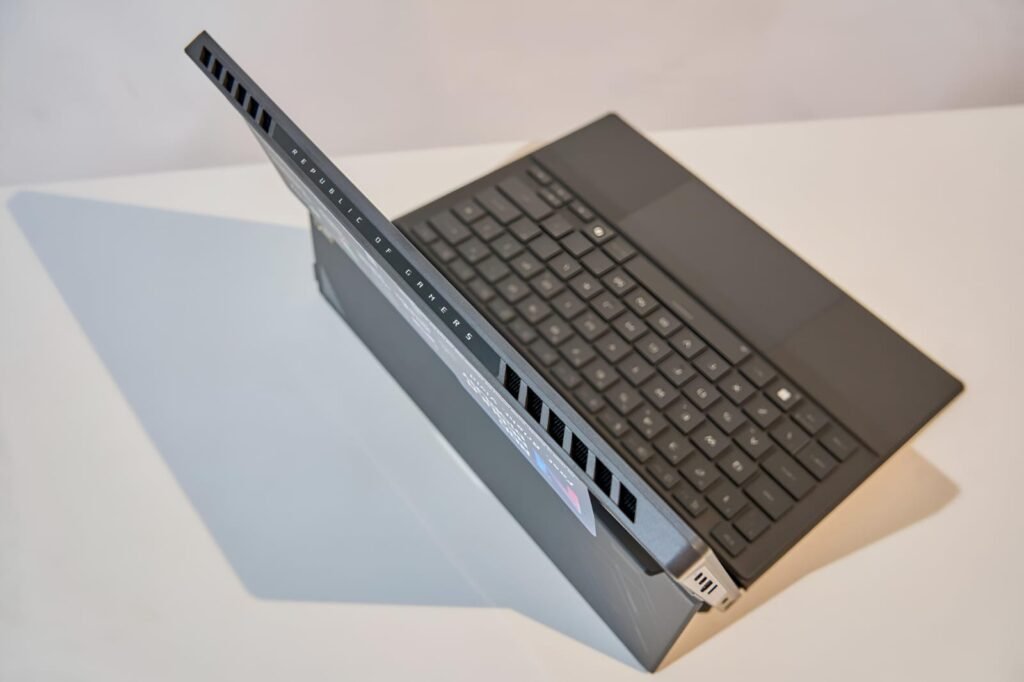
ASUS rethought how to manage heat in a fanless hinge-free form. Wider vapour chambers, rear-facing airflow, and second-gen Arc Flow fans reduce thermal strain without noise. The blades are thinner and curved for smoother rotation and less turbulence.
The result? Sustained performance without throttling or jet-like fan roar. It holds up even during long gaming or rendering sessions.
High-End Display in a Small Package
The display is one of the Flow Z13’s most appealing traits. A 13.4-inch ROG Nebula screen runs at 2.5K resolution with a 180Hz refresh rate. It’s Pantone-validated, Dolby Vision-capable, and supports 100% of the DCI-P3 color gamut.
This panel is good for gaming, yes, but also excellent for color-accurate creative work. ASUS adds Gorilla Glass DXC for reduced glare and better durability.
Full Modular Flexibility
The Flow Z13 isn’t minimalist. It’s modular. Plug in an external GPU like the RTX 5090-powered XG Mobile for full-scale AAA gaming. Or dock it for a workstation setup with multiple peripherals.
Need ports? It has you covered. USB-A, USB4, HDMI 2.1, microSD all included. It’s a device that bends to your workflow, not the other way around.
Usable Battery, Fast Charging
With a 70Wh battery inside, battery life is solid. USB-C fast charging restores 50% in 30 minutes. It supports 200W for full performance, but even a 100W USB-C power bank can get you through a meeting or flight.
This flexibility makes it a solid pick for remote creators or professionals on the move.
Surprisingly Good Sound
Audio gets a nice bump. Four speakers, Dolby Atmos, and Hi-Res certification make this more than just functional. The mic array includes AI noise cancellation, making voice calls and recordings clearer.
There’s also a handy Command Center button that opens system tools instantly. You can tweak performance, switch GPU modes, or launch apps without digging into settings.
Real-World Results Back the Specs
Benchmarks show the Flow Z13 delivers more than paper specs suggest:
- Cyberpunk 2077 and Red Dead Redemption 2 run well at medium settings.
- The device remains cool even during prolonged gaming.
- For AI work, it smoothly handles model inference thanks to fast SSDs and 128GB RAM.
A small tweak; like raising VRAM from 4GB to 8GB, unlocks smoother game frames. ASUS may fix this in updates, but the BIOS tweak is simple now.
ASUS Gets It Right in 2025
Instead of chasing thinness or gimmicks, ASUS built a smart, usable, powerful device that fits many roles. It’s a workstation, a gaming rig, and an AI testing hub, yet it still weighs just over a kilo.
The 2025 ROG Flow Z13 shows what’s possible when design choices are made for users, not marketing slides. Whether you’re building a game, drawing concept art, or testing LLMs offline, it fits in your bag and pulls it all off.
Check Also: Next Generation Hybrid AI Chromebook Plus 14 10 Redefines On-the-Go Productivity