Jane, a small-scale clothing vendor (mtumba), used to juggle cash payments while worrying about theft and bookkeeping errors. One day, a customer paid via M-Pesa, and Jane realized she could streamline her business with a Safaricom M-Pesa till application. This simple tool transformed her daily operations, letting her accept digital payments, track transactions, and even pay suppliers directly from her till. If you’re a Kenyan entrepreneur like Jane, this guide will walk you through the M-Pesa till application process, offering practical insights to help your business thrive in Kenya’s cashless economy.
Why Choose a Safaricom M-Pesa Business Till?
Launched in 2007 by Safaricom and Vodafone, M-Pesa has revolutionized financial services in Kenya, serving over 40 million users across seven African countries. The M-Pesa Business Till, also known as the “Buy Goods Till,” is a powerful tool for small and medium-sized enterprises (SMEs), enabling seamless digital transactions. Unlike traditional cash-based systems, it offers security, transparency, and flexibility, allowing businesses to receive payments, make disbursements, and manage cash flow directly from their till.
For Kenyan business owners, the M-Pesa Business Till is a lifeline in a market where 60% of formal remittances into Kenya flow through M-Pesa. Whether you run a retail shop, a salon, or a restaurant, this service can save time, reduce risks, and boost efficiency. Let’s dive into the step-by-step process to get your M-Pesa Business Till up and running.
Step 1: Understand the Requirements
Before applying, ensure you meet Safaricom’s eligibility criteria. The requirements vary slightly depending on your business type—individual, sole proprietor, or limited liability company—but the essentials remain straightforward.
Required Documents
- Copy of National ID or Passport: For the applicant or business owner.
- KRA PIN Certificate: Ensures compliance with tax regulations.
- Business Registration Documents: For sole proprietors or companies, provide a business permit or certificate of incorporation.
- Safaricom Line: The till will be linked to a registered Safaricom number.
- Business Details: Include your business name, location, and type of operations.
For short-term tills (e.g., for fundraisers or events), additional documents like a letter from the organizing committee or a marriage clearance letter may be required. Gathering these documents beforehand streamlines the Safaricom M-Pesa till application process and avoids delays.
Step 2: Access the Application Portal
Safaricom has made the application process user-friendly through its online Self-Onboarding Portal. Follow these steps to start:
- Visit the Portal: Go to the Lipa Na M-Pesa Application Portal using a smartphone or computer.
- Select Business Type: Choose “Individual,” “Sole Proprietor,” or “Limited Liability Company” based on your business structure.
- Fill Out the Application Form: Enter accurate details, including your personal information, business name, and contact details.
- Upload Documents: Attach scanned copies of the required documents in PDF or JPEG format (avoid ZIP files).
- Agree to Terms: Review and accept Safaricom’s terms and conditions, then complete the OTP (One-Time Password) verification sent to your phone.
The portal’s intuitive design ensures even first-time users can navigate it easily. For Jane, the vendor from Gikomba, filling out the form took less than 10 minutes, a stark contrast to the hours she once spent managing cash.
Step 3: Submit and Await Approval
Once you submit your Safaricom M-Pesa till application, Safaricom reviews it within 24 hours. You’ll receive an SMS notification with your Till Number and Store Number sent to the nominated Safaricom line. If there are issues—such as mismatched names on your ID or incomplete documents—Safaricom’s support team may contact you via email (M-PESABusiness@Safaricom.co.ke) or phone (0722002222) for clarification.
Common Application Challenges and Solutions
- Name Mismatch: Ensure the name on your ID matches the business name or permit. If issues arise, email a correction request to M-PESABusiness@Safaricom.co.ke.
- Form Input Errors: Some users report difficulties with fields not accepting inputs. If this happens, clear your browser cache or try a different device.
- Delayed Approval: If you don’t hear back within 24 hours, contact Safaricom’s support team with your application details.
Step 4: Activate Your Till
After receiving your Till Number, activate it to start accepting payments:
- Dial *234#: Select option 2 (“M-Pesa Business Till”).
- Enter Store Number: Input the Store Number from the SMS.
- Confirm Activation: Follow the prompts to complete the process.
Alternatively, download the M-Pesa for Business App from Google Play or the Apple App Store to activate and manage your till. The app allows you to track transactions, view statements, and delegate admin roles to employees, making it ideal for businesses with multiple tills.
Step 5: Set Up and Promote Your Till
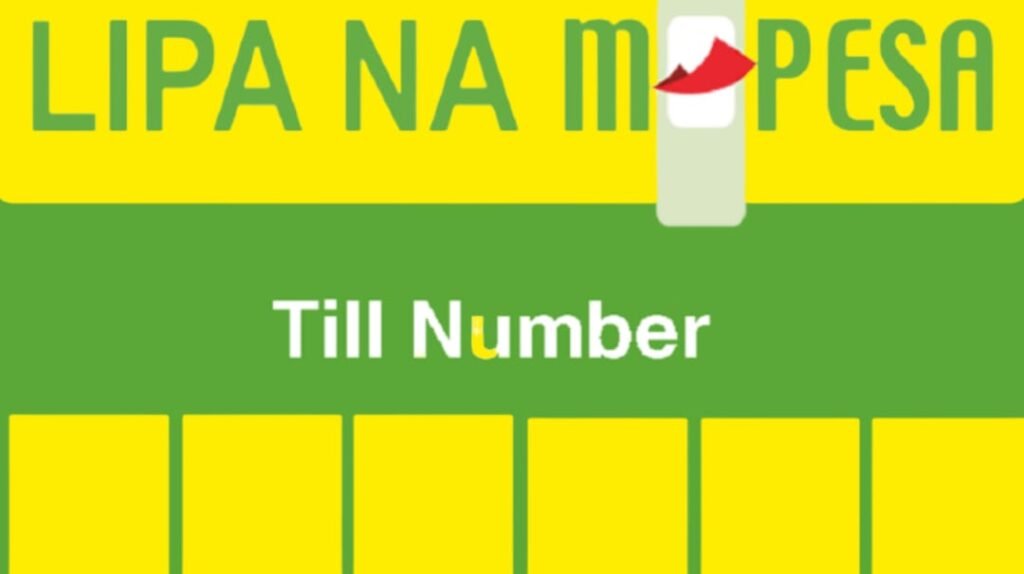
With your till activated, download the Lipa Na M-Pesa sticker from the Self-Onboarding Portal and display it prominently at your business premises. This sticker shows your Till Number, encouraging customers to pay via M-Pesa. Train your staff on handling Lipa Na M-Pesa transactions and addressing customer queries to ensure a smooth experience.
For example, Jane printed her Till Number on a vibrant poster and placed it at her stall’s entrance. She also informed regular customers via WhatsApp, boosting cashless payments by 40% within a month.
Key Features of the M-Pesa Business Till
The M-Pesa Business Till offers more than just payment collection. Here’s a breakdown of its features and benefits:
| Feature | Benefit |
|---|---|
| Receive Payments | Accept payments from customers or other tills instantly. |
| Make Payments | Pay suppliers, other tills, or Paybills directly from the till. |
| Withdraw Funds | Transfer funds to your bank account or withdraw at an M-Pesa agent. |
| Sell Airtime | Earn commissions by selling Safaricom airtime from your till. |
| Transaction Tracking | Access real-time statements via the M-Pesa for Business App. |
These features make the till versatile for businesses like hardware stores, supermarkets, or even churches and chamas (savings groups). Unlike the older Buy Goods Till, the M-Pesa Business Till acts like a virtual bank account, allowing direct transactions without transferring funds to a personal M-Pesa account first.
Costs and Charges
One concern for business owners is transaction costs. Here’s a quick overview:
- Customer Payments: Free for most Buy Goods transactions, except at fuel stations.
- Business-to-Customer (B2C): Charged as per standard M-Pesa send money rates.
- Business-to-Business (B2B): Subject to standard Paybill charges.
- Agent Withdrawals: Incur standard M-Pesa withdrawal fees.
For example, withdrawing KSh 10,000 from an M-Pesa agent costs KSh 105, while transferring to a bank account may vary based on the bank’s charges. Always check Safaricom’s official tariff guide for the latest rates.
Why the M-Pesa Till Stands Out
The M-Pesa Business Till isn’t just a payment tool—it’s a catalyst for financial inclusion. In Kenya, where only a small percentage of people used traditional banking services in 2007, M-Pesa filled a critical gap. Today, it handles transactions worth over KSh 35.9 trillion annually, underscoring its economic impact.
For small business owners, the till offers a competitive edge in a digital-first market. Unlike cash, which carries risks of personally identifiable information or loss, digital payments are secure and traceable. The ability to integrate with accounting software like Zoho Inventory further simplifies financial management, especially for SMEs aiming to scale.
Moreover, innovations like Fuliza ya Biashara, launched in partnership with KCB, allow businesses with tills older than six months to access overdrafts from KSh 1,000 to KSh 400,000. These loans, interest-free for two days, provide a lifeline for cash flow challenges, with a daily fee of 2% thereafter. This feature helped Jane cover unexpected stock shortages without resorting to costly informal lenders.
Recent Updates and Future Trends
Safaricom continues to enhance the M-Pesa ecosystem. In 2025, the introduction of Taasi Till and Taasi Pochi aims to provide collateral-free credit to micro, small, and medium enterprises (MSMEs) via the M-Pesa app or USSD (*234#). These products reflect Safaricom’s commitment to empowering SMEs, which account for 98% of businesses in Kenya.
The Central Bank of Kenya’s push to separate M-Pesa from Safaricom’s telecom operations could also reshape the service. If successful, M-Pesa might evolve into an independent digital bank, competing with Kenya’s 39 commercial banks. For business owners, this could mean expanded services like higher-value loans or insurance products. Source
Tips for Maximizing Your M-Pesa Till
To make the most of your Safaricom M-Pesa till application, consider these practical tips:
- Promote Digital Payments: Offer small discounts for customers paying via M-Pesa to encourage adoption, as Jane did with a 5% discount on bulk purchases.
- Monitor Transactions: Regularly check your till balance and statements through the M-Pesa for Business App to detect discrepancies early.
- Leverage Support: Contact Safaricom’s support team (M-PESABusiness@Safaricom.co.ke or 0722002222) for quick resolution of issues.
- Integrate with Systems: Link your till to point-of-sale or accounting software for seamless bookkeeping.
- Explore Credit Options: If eligible, apply for Fuliza ya Biashara to manage cash flow during lean periods.
Conclusion: Empower Your Business Today
The Safaricom M-Pesa Business Till is more than a payment tool—it’s a gateway to efficiency, security, and growth for Kenyan entrepreneurs. By following the straightforward Safaricom M-Pesa till application process, you can set up your till in as little as 24 hours and join the millions of businesses thriving in Kenya’s digital economy. Whether you’re a market vendor like Jane or a growing SME, this tool can transform how you manage transactions.
Ready to take your business to the next level? Apply for your M-Pesa Business Till today at the Lipa Na M-Pesa Portal and share your experience in the comments below. How has going cashless helped your business grow? Let’s inspire each other!