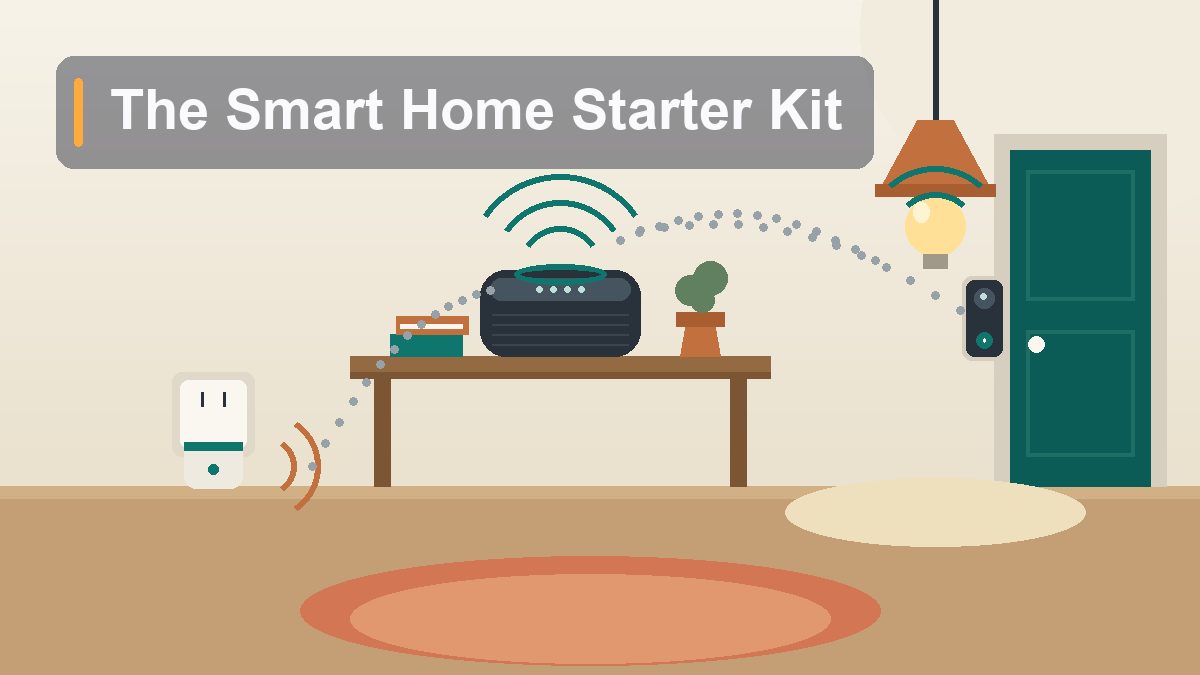
The Smart Home Starter Kit That’s Actually Worth It
Every smart home that works started the same way: one ecosystem, four boring devices, and a router that isn’t gasping for air. Here’s the exact kit — real products, real prices, under $300 all-in — and the shiny stuff you should walk past.
The smart home industry has a dirty secret: most of it ends up in a drawer. Not because the idea is bad — telling your house to turn off the lights from bed is genuinely wonderful — but because the typical entry point is a Black Friday impulse buy, followed by a second gadget from a different brand that refuses to talk to the first, followed by an app folder on your phone named “Home Junk” containing six icons you no longer open. The failure is almost never the technology. It’s the order of operations. A smart home isn’t a pile of gadgets; it’s a system, and systems need a foundation poured before the walls go up. Pour it correctly — pick one ecosystem, start with four specific devices, respect your Wi-Fi — and you’ll spend under $300 on a setup you’ll actually use every single day. Pour it wrong and you’ll spend twice that on a very expensive lesson about app clutter. This is the correct order.
Why Most Smart Homes Stall Out
The junk-drawer pattern, and how to avoid it
Here’s how the stall usually goes. Someone buys a cheap smart bulb at the grocery store checkout. It works, kind of, through an app made by a company whose name is twelve consonants. Encouraged, they buy a doorbell camera from a different brand, which needs its own app and its own account. Then a smart plug from a third brand, with a third app. Now turning on the living room lamp requires remembering which of four apps owns it, and the voice assistant they got as a gift can see two of the four devices but not the others, because one only works with a hub they don’t own. Within six months, the household consensus is that smart home stuff is gimmicky, and the gadgets migrate to the drawer where old cables go to be forgotten.
Notice what went wrong: nothing was broken. Every device did roughly what the box promised. The failure was architectural — four islands instead of one country. Every device in a working smart home answers to a single brain: one app, one voice assistant, one automation engine. When the porch light, the doorbell, and the living room lamp all report to the same headquarters, you can say one sentence — “good night” — and have the house lock down, dim, and arm itself. When they report to four different headquarters, you have a phone full of apps and a house full of remote controls.
The fix is unglamorous and non-negotiable: choose your headquarters first, before you buy a single device. That decision is the next section, and it’s the most important one in this article.
Pick an Ecosystem Before You Buy Anything
Apple Home, Google Home, or Alexa — choose once, commit fully
There are three mainstream smart home platforms in North America, and the honest news is that all three are good in 2026. The differences matter less than the commitment. Pick the one that matches the phone and habits you already have, then buy nothing that doesn’t work with it.
Amazon Alexa is the biggest and most compatible ecosystem. Practically every smart device sold in the US and Canada works with Alexa, the hardware is the cheapest (an Echo Dot lists at $50 and drops to $25–$35 during Amazon’s frequent sales), and the Alexa app’s automation engine — Routines — is powerful once you learn it. The trade-offs: the Alexa app is cluttered and fond of suggesting things you didn’t ask about, and Amazon’s devices are, at heart, storefronts with microphones. If you want maximum device choice at minimum cost, this is the pick.
Google Home is the middle path. The Nest Hub and Nest Audio are handsome, the Google Home app (Devices > Add > Set up device) is the cleanest of the three to set up, and the assistant is still the best at answering actual questions — it has Google Search behind it, which shows. Device compatibility is nearly as broad as Alexa’s. If your household runs on Android phones, Chromecasts, and Gmail, this is the natural fit.
Apple Home (HomeKit) is the smallest compatible-device pool, and the hardware is the priciest — the HomePod mini is $99 and there’s no budget option. What you get in return is the most private platform (automations run locally on your Apple TV or HomePod rather than in a cloud), the most polished app, and zero ads. If everyone in the house carries an iPhone, the friction is nearly zero: scan a code in the Home app and the device exists. Historically the dealbreaker was device selection, but the Matter standard (more on that shortly) has largely closed that gap.
Which should you choose? If your household is all-iPhone and privacy-conscious: Apple Home. If you want the cheapest, most flexible path and don’t mind Amazon’s ecosystem: Alexa. If you’re an Android house: Google Home. The genuinely wrong answers are “all three” and “whichever gadget was on sale.” Mixing ecosystems means every device decision becomes a compatibility research project, every voice command works on some lights but not others, and family members give up because nothing is predictable. One brain. Commit.
The Four Devices Worth Starting With
Chosen by a ruthless test: will you use it daily within a week?
Walk through a smart home store and you’ll find hundreds of device categories — blinds, faucets, litter boxes, egg trays. Almost all of them fail the only test that matters for a starter kit: does it solve a daily annoyance within the first week, with zero new habits required? The four that pass, in every household we’ve seen this done in, are a smart speaker or display, smart bulbs, a smart plug, and a video doorbell or camera. Together they cover the four things people actually want from a smart home: to talk to it, to stop walking around flipping switches, to make dumb devices slightly less dumb, and to know who’s at the door. Everything else — locks, thermostats, sensors, motorized shades — is a great second wave, bought after the first four have earned their place. The next three sections take the starter four one at a time.
Device One: The Smart Speaker or Display
The front door to your whole system — this is the ecosystem, made physical
Your first purchase is the voice of the house, and it determines your ecosystem by default, so buy it right after making the choice above. On the Alexa side, the Echo Dot ($50 list, routinely $30ish on sale) is the default starter — small, decent-sounding for its size, and perfectly fine as a kitchen intercom for your house. If you want a screen — and a screen is more useful than you’d expect, because it shows the doorbell feed, timers, and the weather at a glance — the Echo Show 8 ($150) is the sweet spot. Google households should look at the Nest Hub ($100), whose seven-inch display does the same job with a nicer interface, or the puck-shaped Nest Mini if you just want a voice. Apple households get the HomePod mini ($99): one size, one color decision, done — and it doubles as a Thread border router, which will matter in the Matter section.
Placement matters more than model. The speaker goes where your household naturally congregates — for most homes, the kitchen counter. Not the bedroom, not the office desk. You’re building the house’s shared interface, and shared interfaces live in shared rooms. Set it up (Alexa app > Devices > “+”, or Google Home > Devices > Add, or hold an iPhone near a HomePod and tap the card that appears), name the room honestly, and spend one evening teaching the household the three commands that sell the whole project: timers, “what’s the weather,” and “play [radio station everyone agrees on].” Lighting comes next, and that’s where it clicks.
Devices Two and Three: Smart Bulbs and the Humble Smart Plug
Lighting first, because nothing else demonstrates the point faster
Smart bulbs are the showpiece of the starter kit because the payoff is instant and visceral: you screw in a bulb, add it to your app, say “turn off the living room,” and the room obeys. Every visitor demonstration starts here for a reason. The buying advice splits in two. If you want the premium path, Philips Hue remains the quality benchmark — best color, best reliability, best app — but it wants its own Hue Bridge hub (about $60) and the bulbs run $15 to $50 each, which eats a starter budget fast. The smarter starter move in 2026 is a Matter-certified bulb — brands like Linkind, Nanoleaf Essentials, and TP-Link’s Tapo line sell two-packs for $15 to $25 that pair directly with Alexa, Google Home, or Apple Home, no hub required. Start with two bulbs: the living room lamp and the porch light. Name them exactly what you call them out loud (“living room lamp,” not “Lamp 1”), because you’ll be saying those names to a microphone forever.
The smart plug is the least glamorous device in the kit and possibly the most useful. It’s a $10-to-$15 adapter that sits between the wall outlet and anything dumb — a lamp with a weird bulb, a fan, the coffee maker, the holiday lights — and makes it voice-controllable and schedulable. The TP-Link Kasa and Amazon Smart Plug ($25 list, frequently discounted) lines are the reliable names; buy one or two, not the eight-pack. The killer uses are scheduling (porch light on at sunset, off at midnight) and rescuing devices trapped behind furniture. One warning that saves grief: smart plugs control power, not the appliance’s brain. They work beautifully on anything with a physical on/off switch you can leave flipped on — and do nothing for devices with electronic buttons that forget their state when power cycles.
Device Four: The Video Doorbell
The one that makes skeptics come around
Of the four starter devices, the video doorbell is the one people describe with the word “love” instead of “useful.” The core trick — your phone rings and shows you who’s at the door, whether you’re on the couch or in another time zone — never stops being satisfying, and package season alone justifies it. The two mainstream picks are the Ring Battery Doorbell (from $100) and the Google Nest Doorbell (battery, $180). Ring integrates deepest with Alexa — an Echo Show automatically shows the feed when someone rings — and Nest does the same trick with the Nest Hub. Battery models skip the doorbell-wiring question entirely, which is the right call for a starter kit: charge it a few times a year, drill two screws, done. Apple’s doorbell options are thinner and pricier; if you’re an Apple Home household, look for a HomeKit-compatible model from an established brand and accept the smaller shelf.
One unavoidable conversation: subscriptions. Both Ring and Nest put recorded-video history behind monthly plans — the live view and motion alerts are free, but clips of what happened yesterday are not. A starter kit works fine without paying: you still get the live answer-the-door experience, which is most of the value. Just walk in knowing the upsell exists, and decide after a month of real use whether the history is worth it to you.
What to Skip (For Now)
The drawer-fillers, the hub traps, and the $3,000 fridge
The fastest way to poison a starter kit is a bad fifth purchase, so some explicit skips. Anything requiring its own proprietary hub that isn’t a category leader. Random-brand bulbs, plugs, and sensors that demand you plug a mystery box into your router are the junk-drawer express lane — the app will be abandoned within two years and the devices become paperweights. The fix is easy: if the box doesn’t say “Works with Alexa,” “Works with Google Home,” or “Works with Apple Home” — or better, carries the Matter logo — put it back.
Smart appliances. A refrigerator that shows you its contents on a tablet embedded in the door costs thousands of dollars and will be running abandoned software while the fridge itself still has a decade of life left. Large appliances should be bought as appliances; the smart features are a distraction at this stage. Same logic for smart faucets, smart mirrors, and anything where the “smart” part is welded to an expensive “dumb” part.
Full-house ambitions on day one. Don’t buy twelve bulbs before the first two work. Don’t wire the thermostat, the locks, and the sprinkler system in the same weekend. The starter four exist to teach you how your household actually uses the system — which rooms get voice commands, which schedules matter — and that knowledge is what should steer wave two. And one mild contrarian note: cheap no-name gear is occasionally fine when it’s Matter-certified, because Matter is a real interoperability standard with teeth. The no-name gear to fear is the Wi-Fi-only stuff with its own cloud and its own app. The logo is the difference.
Matter and Thread, Explained in Plain English
The two logos that finally ended the compatibility wars
You will see these two words on every box, and they are worth thirty seconds of understanding because they change how you shop. Matter is a shared language. Before it, every smart device spoke Alexa-ese or Google-ish or HomeKit-ian, and manufacturers had to pick sides. Matter is an open standard — backed, remarkably, by Apple, Google, Amazon, and Samsung together — that lets one certified device join any of the big ecosystems directly. A Matter bulb doesn’t care which headquarters you chose. Practically, this means two things: you can switch ecosystems someday without rebuying everything, and the “does it work with mine?” anxiety mostly evaporates when the Matter logo is on the box.
Thread is a shared road. It’s a low-power mesh radio network — separate from Wi-Fi — where each Thread device helps relay signals to the others, so coverage improves as you add devices instead of clogging your router. Thread devices need one border router in the house to connect the Thread mesh to your network, and here’s the pleasant part: you probably get one for free with device one. The HomePod mini, Apple TV 4K, Nest Hub (2nd gen), Nest Wifi Pro, and the larger Amazon Echo models all have Thread border routers built in. This is one more argument for buying the speaker first and the rest second.
The shopping rule that falls out of all this: for bulbs, plugs, and sensors, prefer the box with the Matter logo (and bonus points for Thread). It costs nothing extra at this point, it’s the industry standard rather than a bet, and it’s the closest thing to future-proofing that exists in this market.
Your Wi-Fi Is the Foundation — and the Under-$300 Shopping List
Check the boring infrastructure before the fun unboxing
Every smart device in this article ultimately depends on your Wi-Fi, and two quirks trip up beginners. First: most smart home devices only speak 2.4 GHz Wi-Fi, not 5 GHz. Many modern routers broadcast both under one network name and steer devices automatically, which occasionally confuses pairing. If a device refuses to set up, the fix is usually in your router’s app: temporarily split the bands into two network names, join your phone to the 2.4 GHz one for the pairing dance, then merge them back. Second: coverage. A router in the basement corner doesn’t reach a doorbell at the front door through three walls. If your house has dead zones, a mesh system (eero, Nest Wifi Pro) solves it and moonlights as a Thread border router — but test coverage first, because most apartments and smaller homes need nothing new.
Now the arithmetic. Here’s the full starter kit at realistic 2026 street prices — list prices on the left, what you’ll likely actually pay if you catch any ordinary sale week:
| Device | Example pick | List price | Typical sale |
|---|---|---|---|
| Smart speaker | Amazon Echo Dot (or Nest Mini) | $50 | $30 |
| Smart bulbs (2-pack) | Linkind or Tapo Matter bulbs | $25 | $18 |
| Smart plug | TP-Link Kasa or Amazon Smart Plug | $25 | $13 |
| Video doorbell | Ring Battery Doorbell (Blink: $70) | $100 | $70 |
| Total | One ecosystem, four devices | $200 | ~$131 |
Two hundred dollars at full retail, comfortably under three hundred even if you upgrade the speaker to a Nest Hub or Echo Show 8 with a screen. Going the Apple route costs more — a HomePod mini plus a HomeKit doorbell pushes you toward the $300 ceiling — but it still fits. What doesn’t fit is the temptation to blow the leftover budget on a fifth and sixth gadget the same weekend. Leave the headroom. In two months you’ll know exactly what the house needs next — a plug for the fan, bulbs for the bedroom, a sensor for the garage door — and you’ll buy it with the confidence of someone whose system already works, instead of the hope of someone with a drawer.
This article reflects general consumer-technology guidance and independent product assessment; prices are typical US street prices as of August 2026 and fluctuate with sales. Platform setup details referenced from Google’s Nest support documentation and Apple’s Home app user guide. No affiliate links or sponsored content. External links verified live at publication, August 2026.